Check consent behaviour
For web agencies handing over EU sites: compare cookies and request origins before and after clicking accept.
The observed difference
Synthetic example: one preference cookie before; two additional cookies after. This is not a customer audit.
Before
preferences
1 cookie
After
preferences
_ga
_ga_demo
3 cookies
New cookies: 2
_ga · _ga_demo — review purpose and retention
A cookie name does not establish its purpose. Review configuration, retention and origin before classifying it.
Inside the report
Real tool output from a synthetic test site. These are not customer audits.
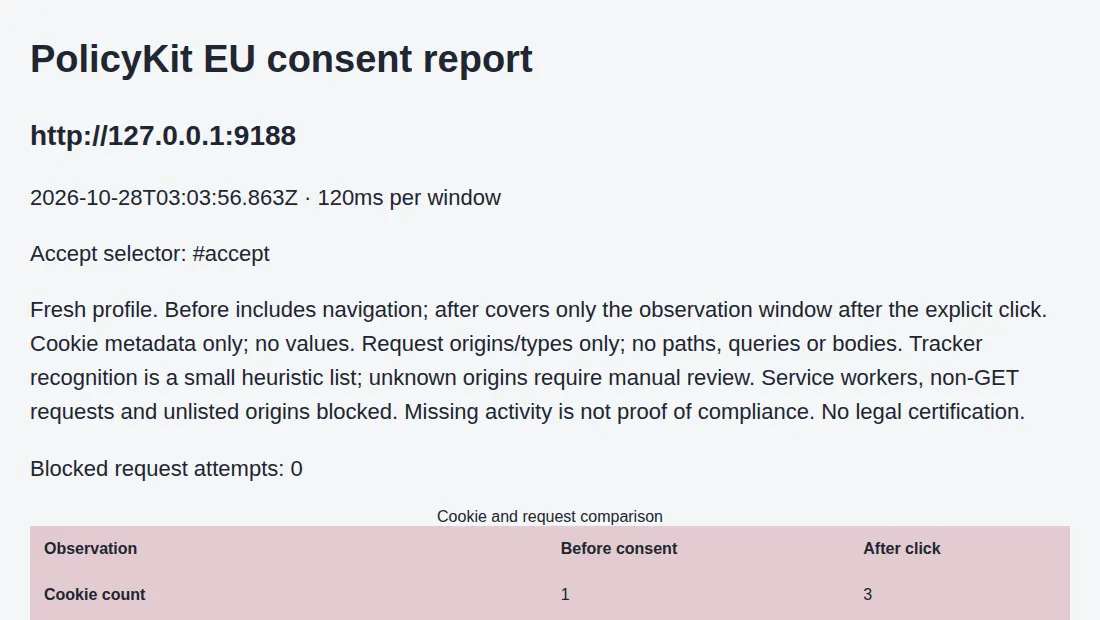
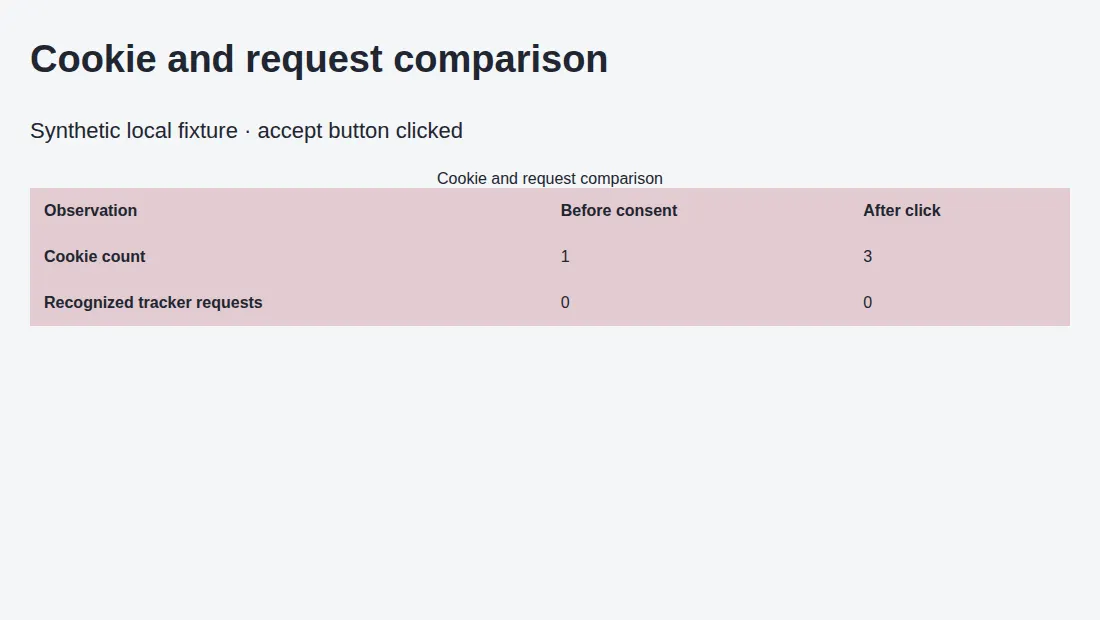
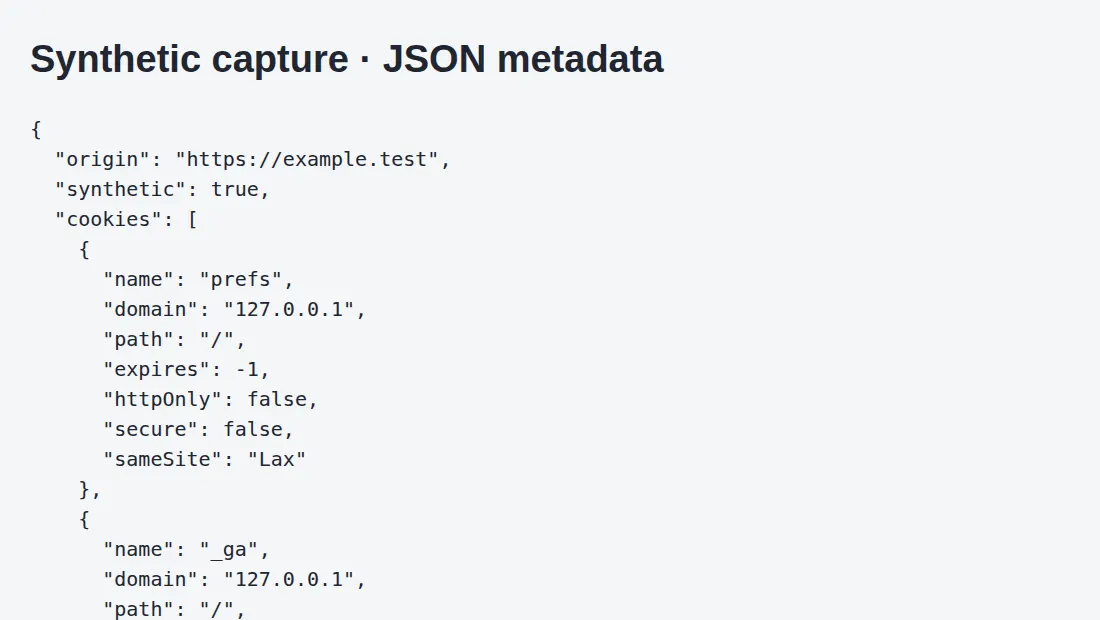
Five domains. One report.
€99 · one-time payment · up to five domains, one page per domain. Managed report: JSON and an HTML summary with cookie metadata, request origins, capture time and limitations. Agree delivery timing with support before payment. Checkout shows applicable taxes and the total. The local trial tool is free and does not include a managed review.
Purchases open soon. EUR checkout is being prepared. Do not send payment manually.
Capture on your computer
Obtain the site owner’s authorization. Set the exact accept button selector and permitted origins. Run the tool with installed Chromium and keep the JSON locally.
Download local tool · Download configuration
You need Node 22+, Chromium and written permission. Check blocked requests; an incomplete capture does not prove tracking is absent. The tool writes report.json and report.json.html on your computer.
npm install
CHROME_PATH=/path/to/chrome node consent.js jobs.json report.json --authorized
What it measures
Fresh profile, three-second observation windows before and after the click. No cookie values, bodies or URL queries. Tracker detection uses a limited list; review unknown origins manually. POST requests, service workers, WebSockets and unlisted origins are blocked, so activity may be missing. Reject, withdrawal and delayed tracking are not tested. No GDPR certification or legal advice.